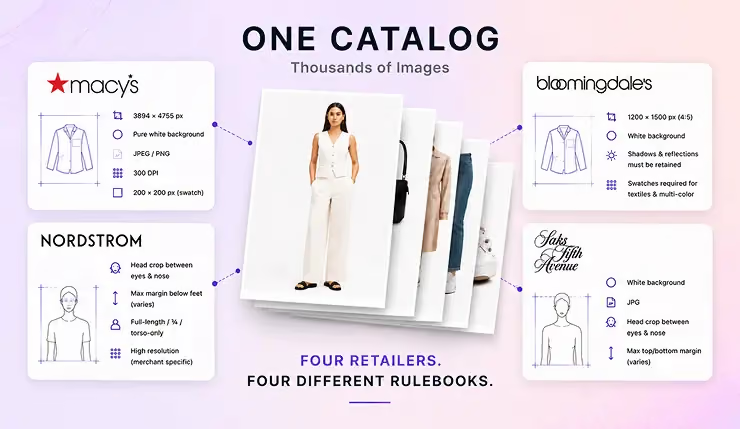
Most articles about Shopify image resizers show you how to resize a single product photo. That's rarely the real problem. The real problem starts when 100s or sometimes 1000s of new product images land every week from different vendors, photo studios, and brands, and every one of them has to look consistent on the same Shopify storefront.
That's not a design task. It's an operations task. And it's the point where "just crop or resize it" stops being an answer.
So instead of arguing about which tool is "best". I ran four tools to resize Shopify product images in bulk through the same set of photos -
- Shopify’s built-in editor
- Pixc
- VF Resizer
- Crop.photo
and put the output side by side. Watch the full video above.
When does image resizing become an operational problem?
For a store with a few dozen products, it doesn't. You resize & crop them by hand and you're done. The trouble only shows up at volume, and it's always the same three things:
- Crop-point drift Inconsistent Product Positioning - every image cropped a little differently, so the catalog never quite lines up.
- On-model fashion shots, where the subject isn't centered and you end up with partial products being cut off or out of focus.
- Backgrounds and margins that have to stay uniform across thousands of SKUs and a dozen different vendors.
None of that is hard on one image. All of it is brutal for 100+ images with deadlines on the corner. That's the lens I judged every tool through, not "can it resize a photo," but "what happens when you test it on a real catalog."
What Size Should Shopify Product Images Be?
One of the most common questions merchants ask is:
What size should Shopify product images be?
Shopify recommends using high-resolution product images, with many stores standardizing around aspect ratios such as 1:1, 2:3, 3:4, 4:5:
- 2048 × 2048 px (1:1)
- 1200 × 1800 px (2:3)
- 1500 x 2000 px (3:4)
- 1200 x 1500 px (4:5)
The exact dimensions matter less than consistency.
A storefront where every product image is framed the same way generally looks more professional than one mixing portrait, landscape, and square images from different vendors.
That’s why most Shopify image resizing projects are really about standardization, not dimensions.
Why Most Shopify Image Resizer Demos Are Misleading
Most Shopify image resizer demos use 1 or 5 carefully selected images.
Almost every tool looks good under those conditions.
The real test is what happens when you process 100s or 1000s of images from different vendors, photographers, and product categories.
That’s where inconsistencies start to appear:
- Products scale differently
- Inconsistent Product Positioning
- Models are framed inconsistently
- Margins vary from image to image
- Backgrounds become uneven across the catalog
A resize workflow that looks perfect on 5 images can become a catalog management problem on 100s.
That’s why I used the same mixed set of footwear and women’s dresses throughout this comparison instead of carefully selecting easy examples.
Tool 1: Shopify's built-in image editor
Free, lives right in your Shopify product store, no extra app. For a store with a handful of products, this is genuinely all you need. Manually crop, resize, done.
The catch is it's manual. Every image is its own decision, which means the crop point drifts the moment you're doing more than a few. On a small catalog you'll never notice. On a few 100 SKUs across multiple people, you get a storefront that looks subtly off and no fast way to fix it.
Best For
- Small Shopify stores
- Low product volume
- Merchants managing images themselves
- Occasional catalog updates
Tool 2: Pixc image resizer app
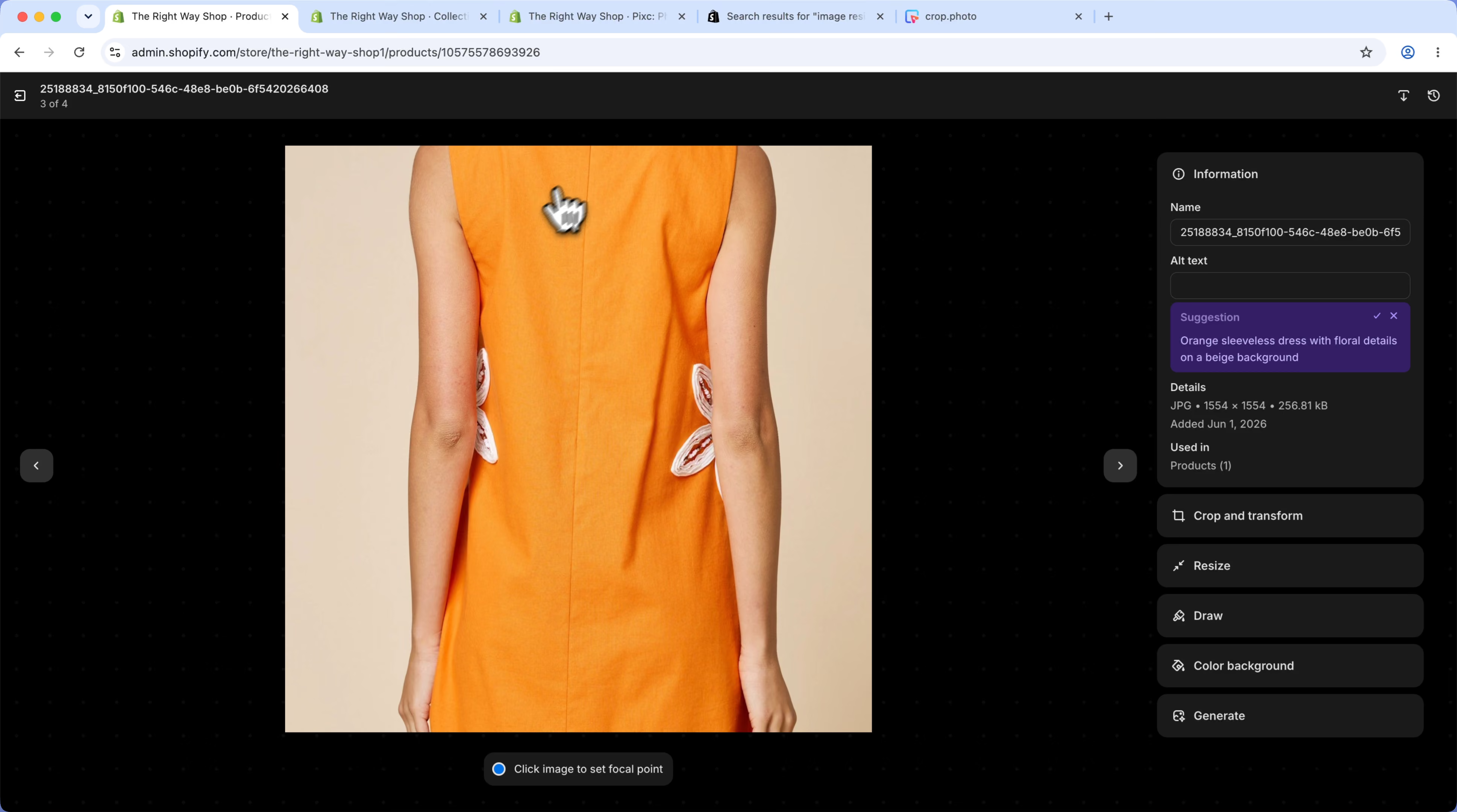
While it did resize the image canvas, it was not content-aware or subject-aware. There was no way to define target margins or align products consistently across the catalog. On on-model fashion images, such as dresses in this test, it cropped off parts of the model and the garment, resulting in inconsistent framing that would not be suitable for a professional e-commerce storefront.
Tool 3: VF Resizer app
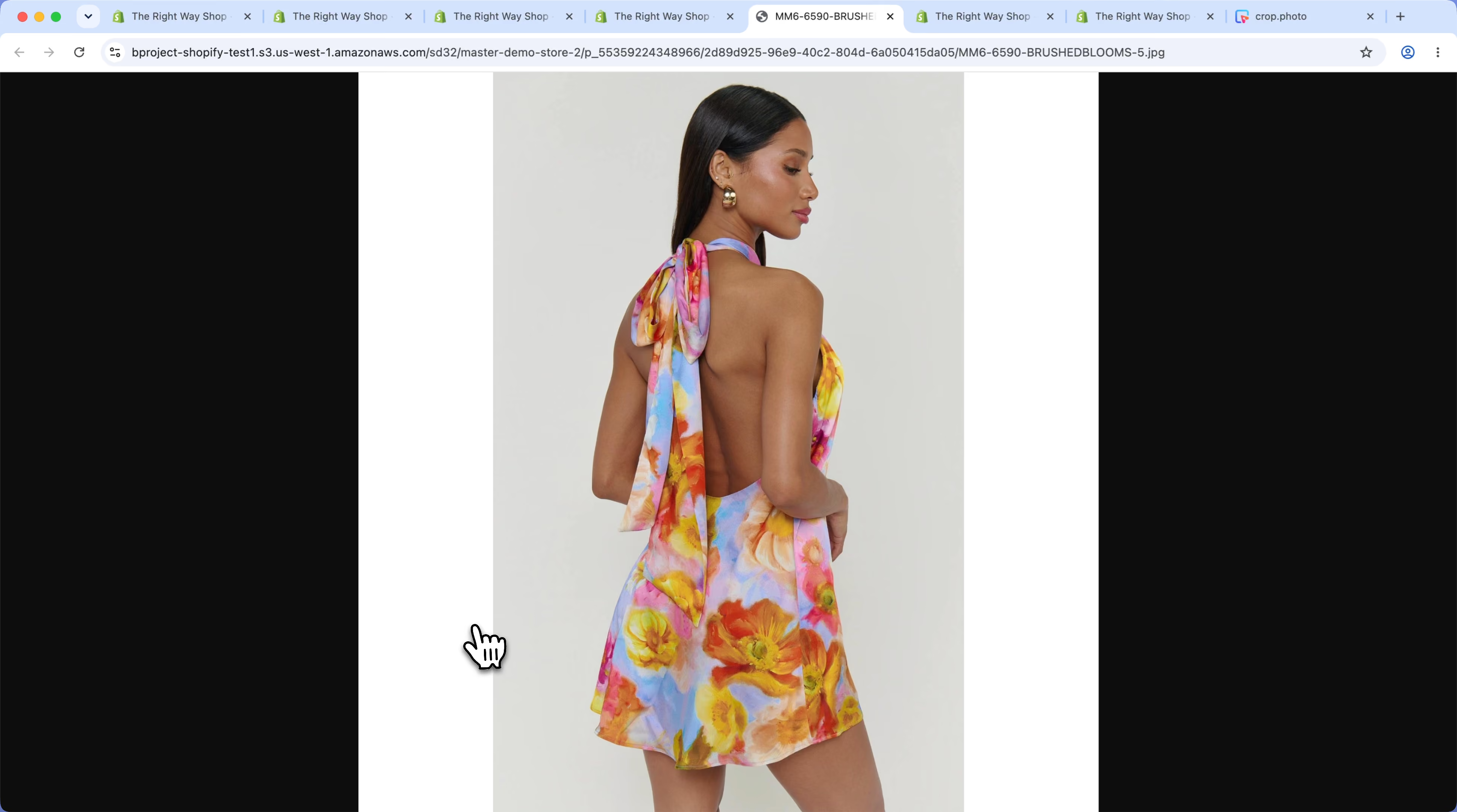
VF Resizer does offer an option to center the product within the frame, which can help create more consistent positioning than a simple resize. However, it does not provide controls for defining specific top, bottom, or side margins, making it impossible to enforce consistent spacing across an entire catalog.
Another issue I encountered was with the output itself. While the tool successfully resized the images to the target 1:1 aspect ratio, it did not intelligently expand or reconstruct the background to fill the new canvas. As a result, many images ended up with excessive empty white space around the product, creating inconsistent presentation and making the output unsuitable for use directly on a production e-commerce site.
Tool 4: Crop.photo
Crop.photo takes a different approach to the same problem. Instead of editing images one at a time, it applies the same cropping logic across an entire catalog - holding framing, margins, background and crop markers consistent whether it's flat-lay product, on-model fashion, or vendor-supplied image landing in a multi-brand storefront.
The point isn't that it crops any single image better than a person could. A person can. The point is consistency at a scale where a person can't keep up - standardizing a whole catalog in one pass instead of one image at a time.
With image resize recipes to generate different outputs, as an ecommerce co-ordinator all you have to do is select the image and run it through the recipe to get consistent results.

Which approach fits your store?
It comes down to scale:
- A few dozen to a few hundred SKUs, one person managing them? Shopify's built-in editor is fine. Don't pay for a tool you don't need.
- 100s of SKUs, multiple vendors, regular new drops, and consistency that has to hold across the storefront? Hand-editing is the bottleneck, and you want the resize automated across the whole catalog.
Watch the side-by-side in the video above and judge the actual output for yourself - that section starts around the 13:30 mark.
.jpg)