AI RECIPE
A recipe is a reusable AI workflow that applies consistent edits to all your images in one go, with no prompts required.

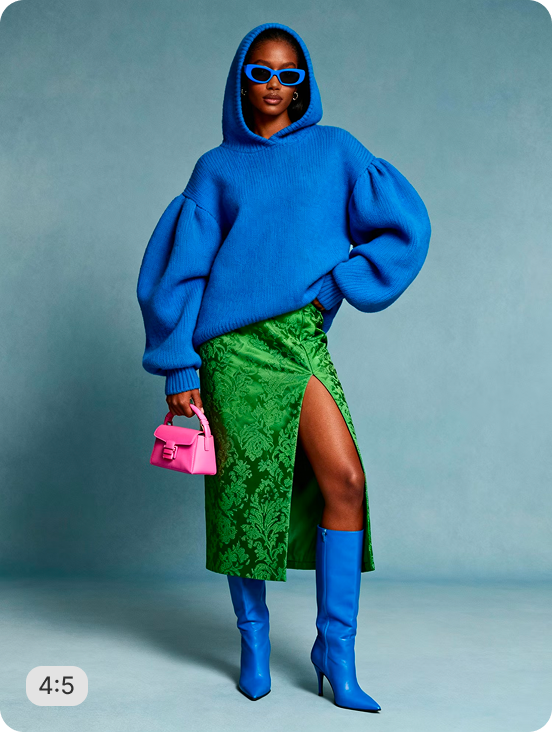
Nordstrom's On-Figure Headless Crop (2:3) - Studio Grey Background

Crop on-model apparel images to Nordstrom's 3900×5850 (2:3) standard - headless framing above the nose, feet shadow preserved, AI-generated studio grey background, 300 DPI print-ready output with AI upscale. Zero manual editing.

About this recipe

This recipe auto-crops on-model apparel photos to Nordstrom's 3900×5850 (2:3) standard: model centered, head removed between the eyes and nose, feet shadow and reflection preserved, AI-generated studio grey background with generative fill, AI upscale enabled, and output at 300 DPI - fully compliant in a single automated pass. It fits naturally into a multi-retailer headless crop workflow alongside our on-figure headless crop recipes for Bloomingdale's, Macy's, and Saks and pairs seamlessly with our bulk background remover when your originals carry studio or lifestyle backdrops.

Use cases

  • Meet Nordstrom's 3900×5850 (2:3) vendor image submission standard at scale
  • Batch-process new apparel collections before a Nordstrom vendor portal upload
  • Preserve feet shadows and floor reflections while swapping to a studio grey background
  • Upscale low-resolution on-model shots to Nordstrom's high-DPI print standard automatically

Tips for best result

  • Use full-length originals where the model's feet and floor shadow are visible - the recipe preserves them in the output
  • Headless framing crops between the eyes and nose - slightly higher than the nose-bridge crop used by Macy's and Bloomingdale's
  • Drop your full SKU set into one batch upload - every image comes back centered, headless, and Nordstrom-compliant

Try Similar Recipes

Explore other variations for this category
Go to Recipe Gallery

Frequently Asked Questions

What makes Nordstrom's headless crop different from other retailers' headless specifications?

Nordstrom's spec crops between the eyes and nose - slightly higher than the nose-bridge standard used by Macy's and Bloomingdale's. It also requires preserved feet shadow and reflection, which most other retailer recipes don't account for. This recipe handles both automatically.

My images are lower resolution than 3900×5850 - will AI upscale handle that automatically?

Yes - AI Upscale is enabled by default. Lower-resolution inputs are automatically enhanced during processing so the output meets Nordstrom's 300 DPI print-quality submission standard without any manual intervention.

Does the recipe preserve the model's feet shadow and floor reflection?

Yes - feet shadow and floor reflection are preserved in the output. This is a specific Nordstrom requirement and the recipe is configured to detect and retain these elements rather than removing them during background replacement.

Can I use this recipe for a mixed catalog with studio shots and lifestyle images?

Yes - the recipe removes any background and AI-generates the studio grey backdrop for every input, so studio shots, lifestyle images, and plain-background originals all come back Nordstrom-compliant with a consistent grey finish.

Have more questions or doubts for us? Get your questions answered from out team within 14 hours