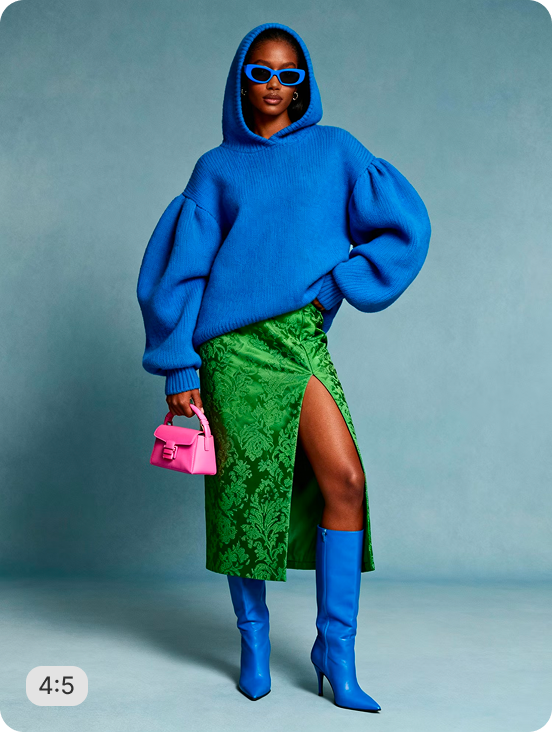
AI RECIPE
A recipe is a reusable AI workflow that applies consistent edits to all your images in one go, with no prompts required.

Supplement Product Photography — Portrait Crop for Shopify

Bulk resize and crop supplement product photos into consistent, Shopify-ready images — output as 1280×1600px (4:5 portrait) for Shopify PDPs; scalable to 2048px on the long edge. Batch-process 1000s of SKUs so every product page stays uniform across your store.

About this recipe

Bulk resize and crop your supplement product photos into consistent, grid-ready images so every product sits the same way across your Shopify store. This recipe is part of Crop.photo's bulk image resizing for Shopify — bulk resize, crop, and standardize every product image across your store — powered by our content-aware image resizer.

Use cases

  • Prep supplement PDP portrait imagery
  • Meet Amazon Health portrait format requirements
  • Standardize iHerb portrait imagery at scale
  • Build DTC health brand product pages
  • Launch new product lines with portrait imagery

Tips for best result

  • Works on bottles, jars, pouches, and blister packs
  • Keep input resolution high for label clarity
  • Batch your full product range in one upload
  • Pair with AI Upscale to sharpen Supplement Facts
  • Consistent lighting yields the cleanest output

Try Similar Recipes

Explore other variations for this category
Go to Recipe Gallery

Frequently Asked Questions

Will Supplement Facts stay readable in portrait format?

Yes — edge detection preserves label sharpness. Use high-resolution originals (1500px+) so Supplement Facts and ingredient lists stay legible.

What portrait sizes work for health marketplaces?

Output dimensions are configurable — 1500×2000px works for Amazon Health and iHerb, 1024×1365px suits Shopify and DTC supplement brands.

Does Shopify support portrait (non-square) product images, or will my supplement photos get cropped?

Shopify supports portrait images, but consistency is critical. When product images are displayed side by side on collection pages, you need to use a consistent aspect ratio for all featured images to make them display at the same size. Modern Shopify themes like Dawn, Refresh, Sense, and Studio let you choose 4:5 portrait - popular for a more lifestyle feel - but whichever ratio you pick, every product needs to match; mixed ratios make collection pages look broken. This recipe standardizes your entire supplement catalog to a single portrait ratio in one batch.

Why is portrait cropping important for supplement product photography?

Portrait cropping helps supplement products stand out on mobile-first platforms like Shopify, Amazon, Instagram, and TikTok. A well-optimized portrait crop improves product focus, visual consistency, and conversion rates by keeping labels, packaging, and branding clearly visible.

Can it batch process my full supplement range in 3:4?

Yes. Upload your entire SKU range and the recipe delivers uniform portrait crops for every bottle, jar, pouch, and blister pack in one pass.

Does it work for both branded and unbranded packaging?

Yes — the recipe handles all packaging types regardless of label design or color, isolating the product and centering it in portrait 3:4.

Can I bulk resize supplement images for both Shopify and Amazon Health in one pass?

Yes. The recipe supports configurable output dimensions - 1500×2000px for Amazon Health and iHerb, and 1280×1600px for Shopify PDPs - processed from the same source upload. Amazon requires a pure white background, with the product occupying at least 85% of the image, at a minimum of 1000px with 1600px or more recommended. This recipe applies white-background cropping and centers the product within the frame for both outputs, so one batch covers your full multi-channel distribution.

Have more questions or doubts for us? Get your questions answered from out team within 14 hours