AI RECIPE
A recipe is a reusable AI workflow that applies consistent edits to all your images in one go, with no prompts required.

Product Image Resizer - Resize Catalog Photos to Any Size in Seconds

Product image resizer for ecommerce. Resize product photos to a perfect square or any marketplace size, keep the original background, and batch-process thousands at once.

About this recipe

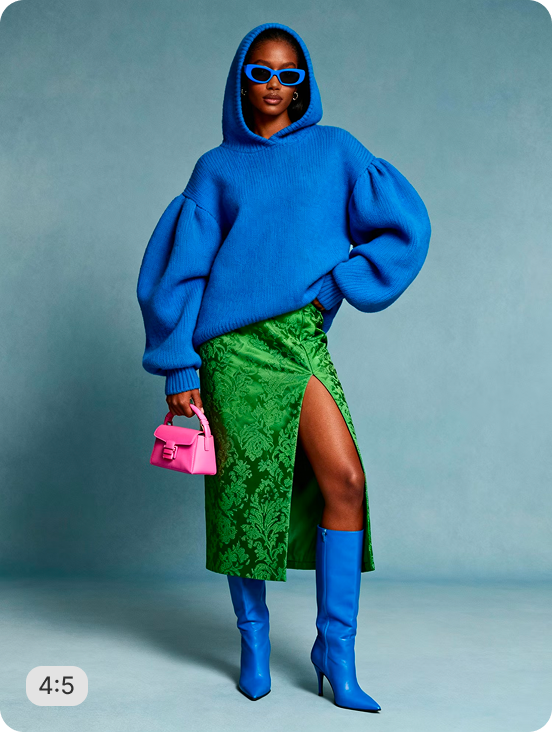
This recipe is part of crop.photo's AI product image editing suite, built to make ecommerce catalogs render consistently across every channel. It resizes any product photo to a square 1:1 frame while preserving the original background, auto-centering the item with balanced margins and upscaling so nothing looks soft. Pair it with bulk image resizing to standardize an entire catalog in one run.

Use cases

  • Standardize every product photo to a uniform square across your catalog
  • Resize listings to Amazon, Shopify, and marketplace size specs
  • Fix mixed-dimension product shots without re-shooting or manual cropping
  • Batch-resize thousands of SKUs in a single upload
  • Upscale small or low-res product images while resizing

Tips for best result

  • Works best on single-product shots with the item clearly in frame
  • Keep inputs as high-resolution as possible for the sharpest upscale
  • Upload .jpg, .png, or .webp - up to 1000 images per quick test
  • Batch your full catalog in one run for consistent framing everywhere

Try Similar Recipes

Explore other variations for this category
Go to Recipe Gallery

Frequently Asked Questions

Is this product image resizer free to try?

Yes - resize sample images or upload your own to test the recipe instantly, no signup required. Bulk processing and Shopify install are available on a free trial.

What image formats does it support?

Upload JPG, JPEG, PNG, or WebP files. Output is delivered in a web- and marketplace-ready format suitable for any ecommerce channel.

What sizes can I resize product images to?

Output is configurable - 1024×1024px for Shopify and DTC, 2000×2000px for Amazon and marketplaces, up to 2048×2048px (Shopify's max). Default is a 1:1 square.

Will resizing reduce my product image quality?

No. Instead of stretching pixels, the AI upscales as it resizes, so edges stay sharp and the product never looks soft - even when you size up a smaller original.

Can I resize product images in bulk?

Yes. Upload thousands of product images in one run and every image is resized to identical dimensions and framing - built for full-catalog standardization, not one-off edits.

How is an Crop.photo AI product image resizer different from a normal resizer?

A standard resizer just changes dimensions and often crops or distorts the subject. This crop.photo AI resizer detects the product, centers it with balanced margins, preserves the original background, and upscales - so every image looks intentional, not cropped.

Have more questions or doubts for us? Get your questions answered from out team within 14 hours