AI RECIPE
A recipe is a reusable AI workflow that applies consistent edits to all your images in one go, with no prompts required.

Ecommerce Photo Editing — Product Align (Keep BG)

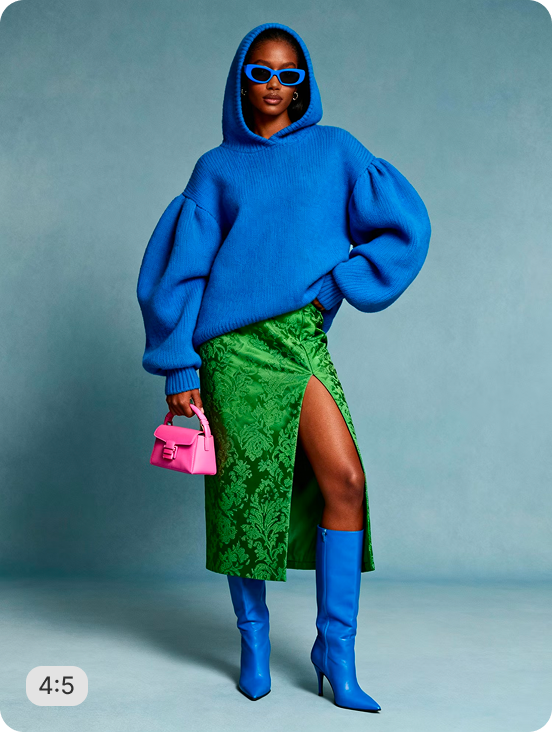
Product images aligned with consistent 8% margins on their original backgrounds — no background removal, no color changes, original scene preserved while alignment is standardized. Try it on your catalog and get a tidy, consistent listing.

About this recipe

Sometimes the original background is what makes the shot work — and standard catalog tools force background removal. This recipe centers any product in frame while keeping the original background fully intact, no removal or replacement, ready for batch use across mixed-source catalog imagery.

Use cases

  • Center products without background removal
  • Standardize crops on lifestyle imagery
  • Build editorial catalogs with backgrounds
  • Process mixed-source imagery in batches
  • Refresh older shoots with consistent framing

Tips for best result

  • Works on lifestyle and studio backgrounds
  • Original background is fully preserved
  • Use clean inputs for sharpest output
  • Batch your full catalog in one upload
  • Pair with Lifestyle Resize for ratio variations

Try Similar Recipes

Explore other variations for this category
Go to Recipe Gallery

Frequently Asked Questions

Will the product be properly centered?

Yes — the recipe identifies the product and centers it in frame while preserving the surrounding scene context unchanged.

How is this different from Square Catalog Crop?

Square Catalog Crop removes the background and replaces it with white. Product Align keeps the original background intact — useful when the scene context adds value to the shot.

Can it batch process mixed-source catalogs?

Yes. Upload imagery with varied backgrounds and the recipe outputs consistently framed crops with each original background preserved.

Have more questions or doubts for us? Get your questions answered from out team within 14 hours