AI RECIPE
A recipe is a reusable AI workflow that applies consistent edits to all your images in one go, with no prompts required.

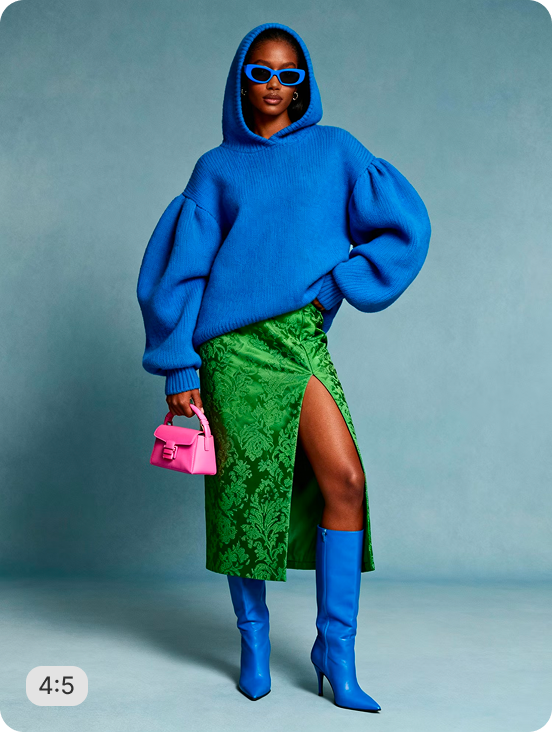
On-Figure Headless Crop (4:5) - Bloomingdale's Product Image Automation

Auto-crop on-model apparel photos to Bloomingdale's exact 1200×1500 spec - headless framing, pure white background, print-ready 300 DPI, zero manual editing.

About this recipe

Crop on-model apparel images to Bloomingdale's exact 1200×1500 (4:5) marketplace standard, fully automated for bulk catalog uploads. This recipe crops each image just above the nose bridge for a compliant "headless" on-figure look, centers the model within the frame, and removes the background in favor of a pure white (#FFFFFF) backdrop. Feet shadow and reflection are preserved to keep the shot grounded and realistic, and output is rendered at 300 DPI to meet print and retailer resolution requirements. Built-in AI upscaling automatically kicks in for lower-resolution source photos, so every image meets spec regardless of original quality. This recipe is part of Crop.photo's retailer compliance toolkit, ideal for brands and sellers publishing apparel imagery directly to Bloomingdale's or matching similar marketplace on-model image requirements.

Use cases

  • Convert studio photography into wholesale compliant image sets
  • Meet print resolution (300 DPI) requirements
  • Standarise on-model fashion photography across whole catalog
  • Convert existing on-figure photography for a new marketplace listing without a reshoot

Tips for best result

  • Use a light, evenly lit backdrop in the original photo so background removal produces clean edges
  • Keep the model's feet fully in frame, since shadow preservation depends on that footage being present
  • Run a small test batch to ensure that cropping is consistent to the requirements

Try Similar Recipes

Explore other variations for this category
Go to Recipe Gallery

Frequently Asked Questions

Why is the model's head partially cropped out?

Bloomingdale's on-figure image spec calls for a "headless" style crop, cutting above the nose bridge. This recipe automates that exact framing so images meet the retailer's requirement without manual cropping.

What resolution do the output images use?

Images are output at 1200×1500px (4:5 aspect ratio) with a 300 DPI override, meeting standard print and retailer resolution requirements.

Can I use this for retailers other than Bloomingdale's?

Yes. While tuned to Bloomingdale's exact spec, the same 4:5, headless, white-background format works for any marketplace with similar on-figure image requirements.

Will this preserve the shadow under the model's feet?

Yes. Feet shadow and reflection are preserved by design, keeping the image grounded rather than looking like a flat cutout.

Does this work if my source photos are low-resolution?

Yes - AI Upscale is enabled by default, so lower-quality source images are automatically enhanced to meet the required output size and clarity.

Have more questions or doubts for us? Get your questions answered from out team within 14 hours