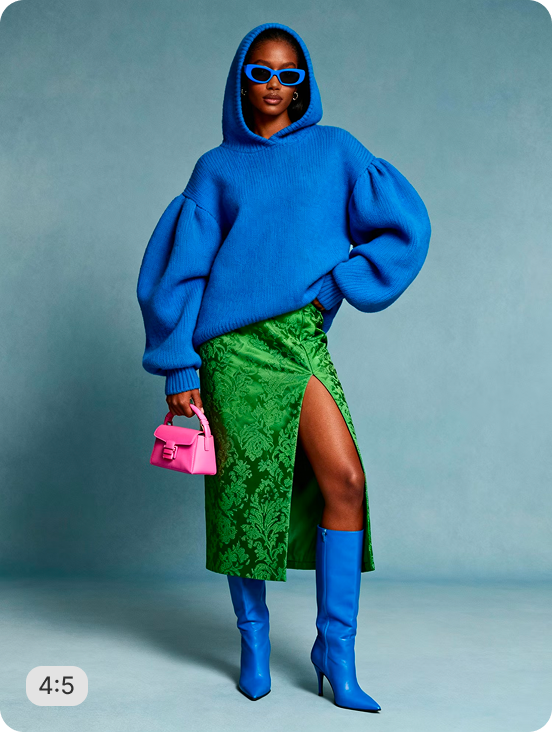
AI RECIPE
A recipe is a reusable AI workflow that applies consistent edits to all your images in one go, with no prompts required.

AI Fashion Video Generator - Men's Apparel for Shopify Product Videos

Generate and resize apparel photos into Shopify-ready product videos — output as 9:16 vertical (1080×1920px) for mobile PDP and social video. Batch-process your full catalog so every PDP video matches the same frame and format.

About this recipe

Generate Shopify-ready product videos from your apparel photos, with consistent framing across your whole catalog. This recipe is part of Crop.photo's AI product image tool for Shopify, powered by our product video maker that turns your existing product images into PDP-ready assets at scale.

Use cases

  • Build menswear video PDPs at scale
  • Generate short ad-ready model clips
  • Add video to listings without a shoot
  • Avoid model and crew bookings for video
  • Produce social media menswear video content

Tips for best result

  • Use clean studio or product image inputs
  • Specify model styling for consistent output
  • Output is a short on-model video clip
  • Batch your full menswear range in one upload
  • Pair with Walk Video for full-length variations

Try Similar Recipes

Explore other variations for this category
Go to Recipe Gallery

Frequently Asked Questions

How long are the generated videos?

The recipe produces short, social-ready clips. Length is configurable to match your platform's preferred video duration.

Does it work from a single still image?

Yes — the recipe generates short walk videos from a single bag photo. No video footage or model session required as input.

How do I add product videos to a Shopify product page?

Upload an MP4 to the product's Media section in Shopify admin, or use a recipe like this to generate one from your apparel photos. Shopify supports video on PDPs, and product videos can lift conversion by letting shoppers see apparel in motion. Output here is 9:16 vertical (1080×1920px) for mobile PDP and social.

Can I turn product photos into video without filming?

Yes. This recipe animates your existing apparel photos into a product video automatically - no studio or camera needed. It's powered by Crop.photo's AI product video generator, which converts flat images into PDP-ready motion at scale.

Do product videos help SEO and conversions on Shopify?

Video keeps shoppers on the page longer and helps them judge fit and detail, which supports conversion. Consistent, fast-loading product videos also improve engagement signals that matter for Shopify store SEO.

Will the model and garment look realistic?

Yes. The AI generates accurate fit, drape, and natural motion. Use high-quality inputs for the cleanest result.

Can it batch process my full menswear catalog?

Yes. Upload your entire collection and the recipe generates on-model videos for every garment in one pass.

What size should a Shopify product video be?

For mobile-first PDPs, a 9:16 vertical video (1080×1920px) performs best; square (1:1) also works well in Shopify's media gallery. This recipe outputs 9:16 vertical (1080×1920px) for mobile PDP and social so it embeds cleanly without cropping.

How do I make product videos for a whole catalog at once?

Rather than editing clips one by one, batch-process the catalog. This recipe applies the same motion and framing to every SKU, then exports Shopify-ready files, keeping your PDPs visually consistent across the store.

Have more questions or doubts for us? Get your questions answered from out team within 14 hours